Anúncios
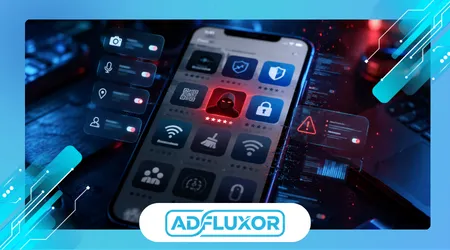
Fake apps security has become a much bigger issue than most people realize, especially now that smartphones handle banking, passwords, personal photos, and even work-related logins. Many users still assume that downloading an app from an official store automatically means it is safe, but that assumption is exactly what malicious developers exploit.
A common situation happens during rushed moments. Someone searches for a PDF scanner, video editor, VPN, or cleaning app, installs the first result with decent ratings, and grants every permission requested without looking twice. Hours later, the phone starts overheating, ads appear constantly, or sensitive accounts begin showing suspicious login activity.
The problem affects millions of users because fake applications no longer look obviously dangerous. Many imitate real brands, copy screenshots from legitimate developers, and even purchase fake reviews to appear trustworthy. In several cases, the app itself works partially as advertised, which delays suspicion long enough for data collection or intrusive tracking to begin quietly in the background.
Understanding how these apps manipulate visibility, trust, and user behavior is more important than simply memorizing a list of dangerous applications. The safest users are usually the ones who recognize suspicious patterns before installation rather than after damage has already occurred.
Anúncios
The Small Signs Most People Ignore Before Installing an App
One of the easiest ways to identify risky apps is by looking at inconsistencies most users skip entirely. The average person checks the app icon, rating score, and maybe two screenshots. That is rarely enough anymore.
A typical warning sign appears when an app claims millions of downloads but has strangely repetitive reviews posted within short time windows. Another red flag is aggressive wording in the description, especially phrases promising “instant speed boost,” “100% virus removal,” or “battery fixes” that modern operating systems already manage internally.
Many users also ignore developer history. Fake apps frequently come from publishers with random names, incomplete support pages, or portfolios filled with unrelated apps. An experienced user usually checks whether the same developer has maintained products consistently over time rather than appearing suddenly with dozens of cloned utilities.
Anúncios
Another overlooked issue involves permissions that technically work but make no practical sense. A flashlight app requesting microphone access or a wallpaper app demanding contact permissions should immediately raise suspicion. In real-world testing, these unnecessary permission requests are often more revealing than the app description itself.
One subtle pattern repeated across many fake utility apps is excessive urgency during setup. Legitimate apps usually explain why they need access. Malicious ones push users through permission screens as quickly as possible before hesitation kicks in.
Why Official App Stores Still Struggle With Fake Apps
People often assume official stores manually verify every application in detail, but moderation systems are heavily automated because of the enormous volume of submissions arriving daily.
Malicious developers understand this process surprisingly well. They frequently upload a relatively clean version first, build credibility, then release later updates containing intrusive advertising frameworks or aggressive data collection behavior. That delayed approach helps them bypass early detection systems.
Security researchers at the Google Android Security Center regularly document evolving threats tied to mobile ecosystems, including deceptive apps and malicious SDK behavior. These reports matter because many fake apps no longer rely on obvious malware. Instead, they monetize users through hidden tracking systems, subscription traps, or excessive data harvesting.
There is also a psychological factor most people underestimate. Users searching for solutions under stress become easier targets. Someone worried about low storage, slow performance, or account security tends to install the first convincing app they see instead of evaluating carefully.
Interestingly, some fake apps survive for months simply because they do not break devices immediately. They operate in a gray area where the experience becomes annoying, invasive, or manipulative rather than catastrophically dangerous. That delayed impact makes detection harder for both platforms and users.
Tools That Help Detect Suspicious Applications
Several tools and built-in protections can reduce exposure to fake applications, but they work best when combined with user awareness rather than treated as automatic solutions.
| Tool / App | Main Feature | Best Use Case | Platform Compatibility | Free or Paid |
|---|---|---|---|---|
| Google Play Protect | Scans installed apps for harmful behavior | Android users wanting passive protection | Android | Free |
| Malwarebytes Mobile Security | Detects malicious apps and risky permissions | Users frequently testing new apps | Android, iOS | Free + Paid |
| Bitdefender Mobile Security | Real-time threat monitoring | Banking and privacy-focused users | Android, iOS | Paid |
| Exodus Privacy | Analyzes trackers embedded in apps | Users concerned about data collection | Android, Web | Free |
Google Play Protect works quietly in the background and catches many low-level threats, but experienced users know its biggest limitation: it often reacts after suspicious behavior patterns emerge rather than before installation.
Malwarebytes performs better for people who install many utility apps, APK files, or lesser-known tools. In practice, its strongest advantage is identifying deceptive behavior patterns that standard antivirus systems sometimes ignore, including aggressive notification abuse and suspicious permission combinations.
Bitdefender tends to be more effective for users handling financial accounts directly on mobile devices. Its phishing protection and web filtering are particularly useful because fake apps increasingly redirect users toward fraudulent login pages instead of relying solely on malware.
Exodus Privacy offers something different. It focuses less on traditional viruses and more on hidden trackers embedded inside apps. Many users are surprised when seemingly harmless flashlight or weather apps contain dozens of tracking libraries collecting behavioral data.
See Also:
The Hidden Risks of Saving Passwords in Your Browser and Safer Alternatives
The Risks of Granting Microphone and Camera Access to Everyday Apps
How Shadow Profiles Are Created Even If You Never Signed Up
A Realistic Example of How Users Get Tricked
Consider a common scenario involving QR code scanner apps. A user quickly needs to scan a restaurant menu or payment code and searches the app store under time pressure.
The first result has 4.8 stars, professional screenshots, and wording that looks polished. Installation takes seconds. Immediately after opening, the app requests camera access, notification permissions, background activity privileges, and asks the user to accept a “free trial.”
Most people continue without reading carefully.
Within days, the device begins showing full-screen advertisements even outside the app itself. Battery life drops noticeably. Then the user discovers a recurring subscription charge hidden behind a three-day trial buried inside setup screens.
What makes this effective is not technical sophistication alone. It is behavioral timing. Fake apps succeed because they exploit distraction, urgency, and routine user habits.
Experienced users typically pause before granting permissions. They also check recent reviews sorted by newest instead of relying only on average ratings. That single habit exposes many fake apps quickly because negative experiences often appear there first.
Ranking the Most Reliable Protection Approaches
1. Permission Awareness
This remains the most effective defense because it works before damage occurs. Users who consistently evaluate permissions avoid the majority of fake apps regardless of platform.
The weakness is obvious: it depends entirely on user attention and discipline.
2. Official Store Security Systems
Built-in protections like Play Protect help reduce large-scale threats and remove known malicious apps relatively quickly.
However, they are reactive systems. Sophisticated scams frequently stay active long enough to affect thousands of devices first.
3. Third-Party Mobile Security Apps
Dedicated security tools provide deeper monitoring and behavioral analysis. They are especially valuable for users frequently downloading productivity, optimization, or VPN apps.
The downside is resource usage. Some security suites noticeably increase battery consumption or generate excessive alerts.
4. Community-Based Review Analysis
Reading recent reviews carefully is surprisingly effective in real-world use. Users often report subscription traps, intrusive ads, or suspicious behavior before stores react officially.
Still, fake reviews remain a serious limitation, especially during the early stages of fraudulent app distribution.
The Difference Between Annoying Apps and Truly Dangerous Ones
Not every problematic app is outright malware. This distinction matters because many users misunderstand what “dangerous” actually means in mobile environments.
Some apps mainly generate aggressive advertising, manipulate subscriptions, or collect excessive behavioral data. Others attempt credential theft, banking fraud, or remote device access.
The tricky part is that both categories often look identical initially.
Researchers at the Federal Trade Commission’s consumer protection resources frequently highlight subscription scams and deceptive mobile practices because financial abuse through fake apps has become increasingly common. In many real cases, users lose money through hidden billing systems long before noticing security breaches.
Another important difference involves persistence. Truly malicious apps often hide their most suspicious behavior during the first few days after installation. They wait until users become comfortable before activating aggressive functions.
That delayed activation pattern is something experienced testers notice repeatedly across fake utility categories like cleaners, battery optimizers, and VPN services.
What Security Tools Cannot Fully Protect You From
Many people believe installing a security app solves the entire problem. In practice, security software mainly reduces risk rather than eliminating it.
No mobile security tool can fully prevent poor decision-making. If a user consistently grants every permission, ignores warning screens, and accepts unknown subscription prompts, even high-quality protection tools become less effective.
Another misconception involves app updates. Some users carefully verify apps during installation but never reconsider them afterward. Yet several fake apps become harmful only after later updates introduce intrusive SDKs or tracking systems.
There is also the issue of “technically legal” behavior. Some apps operate within platform policies while still exploiting users through manipulative design, excessive advertising, or confusing cancellation systems. Those practices may not trigger malware detection despite creating terrible user experiences.
One of the most reliable long-term habits is periodically reviewing installed apps and removing anything rarely used. In repeated testing scenarios, dormant apps often become overlooked privacy risks because users stop paying attention to them entirely.
Building Safer Installation Habits Without Becoming Paranoid
The goal is not to distrust every app automatically. Smartphones depend on third-party software for productivity, entertainment, communication, and daily convenience. The objective is developing faster judgment.
Users who avoid rushed installations already reduce their exposure significantly. Taking thirty extra seconds to inspect permissions, developer history, and recent reviews often reveals problems immediately.
It also helps to stay skeptical of apps promising unrealistic results. Modern phones do not suddenly become “200% faster” because of cleaning tools or memory boosters. Exaggerated claims remain one of the clearest indicators of manipulative software.
Another practical strategy is limiting permission access proactively. Many experienced users now grant permissions only while using the app instead of permanently. This simple adjustment reduces background tracking substantially without affecting normal functionality.
Most importantly, trust patterns matter more than polished visuals. Fake apps increasingly look professional, but consistent developer history, transparent support information, and realistic functionality remain harder to fake over time.
Conclusion
Fake applications continue spreading because they exploit normal human behavior rather than relying only on advanced hacking techniques. People install apps quickly, trust visual polish, and often skip the small details that reveal suspicious behavior early.
The safest approach combines multiple habits instead of depending on a single tool. Permission awareness, careful review reading, trusted developers, and periodic app cleanup together provide stronger protection than antivirus software alone.
Users handling banking, work accounts, or sensitive personal data on smartphones should treat app installation decisions more seriously than they did a few years ago. Mobile devices now contain enough information to create major financial and privacy risks when compromised.
At the same time, avoiding fake apps does not require technical expertise. Most dangerous applications reveal themselves through patterns: unrealistic promises, strange permissions, rushed setup flows, or inconsistent developer credibility.
Building slower, more intentional installation habits usually delivers the biggest improvement. In real-world use, experienced users are rarely safer because they know secret tools. They are safer because they recognize suspicious behavior earlier and hesitate before trusting it.
FAQ
1. Can fake apps appear on official app stores?
Yes. Both Android and iOS stores occasionally host deceptive or malicious apps despite automated review systems.
2. What is the biggest warning sign before installing an app?
Unnecessary permission requests are one of the clearest warning signs, especially when unrelated to the app’s purpose.
3. Are free utility apps more risky than paid apps?
Not always, but fake apps commonly target categories like cleaners, QR scanners, VPNs, and battery optimizers because users install them quickly.
4. Should I uninstall apps I no longer use?
Yes. Dormant apps may continue collecting data, running background services, or receiving risky updates without notice.
5. Do mobile antivirus apps completely prevent fake app threats?
No. They reduce risk significantly, but safe installation habits remain the most effective protection.