Anuncios
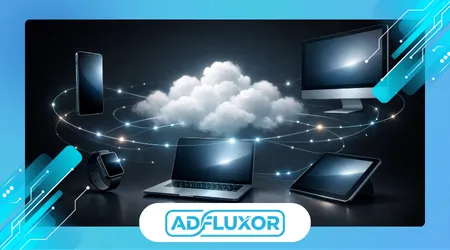
Cross device sync apps have become a foundational layer of modern digital life, enabling information continuity across phones, tablets, laptops, and desktops without manual transfers or repetitive configuration steps.
This article examines how these applications operate, the technical models behind synchronization, and the practical implications for productivity, security, and long-term data reliability across interconnected personal and professional ecosystems.
Rather than listing features superficially, the analysis focuses on real usage patterns, architectural trade-offs, and the operational differences between consumer-focused and enterprise-grade synchronization platforms.
The scope includes document syncing, media continuity, application state preservation, and background data reconciliation across heterogeneous operating systems and hardware environments.
Attention is also given to failure scenarios, such as partial sync conflicts, offline reconciliation issues, and vendor lock-in risks that emerge as dependency on cross-device continuity increases.
Anuncios
By the end, readers gain a grounded understanding of how synchronization apps shape daily workflows and what criteria matter when choosing reliable tools for long-term multi-device usage.
How Cross-Device Synchronization Actually Works
Modern synchronization apps rely on continuous background processes that monitor file changes, metadata updates, and application state modifications across registered devices in near real time.
These systems typically use delta syncing, transmitting only modified data segments rather than entire files, which reduces bandwidth usage while maintaining consistency across distributed device environments.
Anuncios
Cloud-based coordination servers act as authoritative intermediaries, resolving conflicts, validating timestamps, and enforcing version control rules when simultaneous edits occur on different devices.
Local device agents handle encryption, compression, and temporary caching, ensuring that sync operations remain resilient during intermittent connectivity or background operating system restrictions.
Authentication layers tie synchronization rights to user identities rather than individual devices, allowing seamless onboarding of new hardware without duplicating configuration workflows.
Cross-platform compatibility depends heavily on standardized file system abstractions, enabling consistent behavior across Windows, macOS, Linux, Android, and iOS environments.
Latency management plays a critical role, as aggressive syncing can drain batteries, while delayed syncing undermines the perception of real-time continuity users expect.
Well-designed systems dynamically adjust sync frequency based on network quality, device power state, and data priority classifications.
These technical foundations define whether a synchronization app feels invisible and reliable or intrusive and unpredictable in daily usage.
++Applications That Help You Keep Track of Important Documents and Receipts
Productivity-Driven Sync Applications for Daily Workflows
Productivity-focused sync apps prioritize document availability, task continuity, and contextual awareness across work and personal devices throughout the day.
Cloud document suites exemplify this model, enabling users to start editing a file on a desktop and continue seamlessly on a tablet without manual saving or file transfers.
Task management platforms synchronize due dates, reminders, and progress indicators instantly, reducing cognitive load and preventing duplicated effort across multiple devices.
Note-taking applications extend this continuity further by syncing handwritten notes, audio annotations, and embedded media across smartphones and laptops simultaneously.
Calendar and email clients rely heavily on bidirectional sync engines to maintain consistency across time zones, offline edits, and device-specific notification systems.
From an operational standpoint, these apps reduce friction by eliminating dependency on removable storage or manual export processes.
A notable reference for cloud productivity standards is provided by Microsoft’s cloud architecture guidance, which outlines scalable synchronization principles used in enterprise environments.
The most effective tools remain unobtrusive, surfacing conflicts only when human intervention is genuinely required.
This category demonstrates how synchronization directly translates into measurable productivity gains when implemented with disciplined system design.
Media and Personal Data Synchronization Across Devices
Media-centric sync apps focus on preserving continuity for photos, videos, music libraries, and personal records across multiple personal devices.
Automatic photo backup services exemplify this use case, capturing images on mobile devices and making them instantly accessible on desktops and tablets.
These platforms often apply background classification, tagging, and deduplication to maintain organized libraries without manual sorting efforts.
Streaming services extend synchronization beyond files, preserving playback positions, playlists, and viewing histories across televisions, phones, and computers.
Personal data sync also includes contacts, messages, and call logs, ensuring communication history remains intact when switching or upgrading devices.
The reliability of these systems depends heavily on consistent metadata handling, particularly when files undergo edits or format conversions.
Privacy controls play a central role, as media synchronization often involves sensitive personal content transmitted through third-party servers.
According to Apple’s platform security documentation, end-to-end encryption significantly reduces exposure during cross-device media synchronization.
When executed correctly, media sync becomes an invisible safety net rather than an active management task.
Security, Privacy, and Trust in Sync Ecosystems

Security architecture determines whether cross-device sync apps enhance trust or introduce unacceptable exposure to data breaches and unauthorized access.
Encryption at rest and in transit forms the baseline, but advanced platforms implement device-level key management to prevent server-side decryption.
Zero-knowledge architectures ensure providers cannot access user content, even during legal or operational disputes.
Access controls allow users to revoke individual devices instantly, mitigating risk when hardware is lost, stolen, or decommissioned.
Audit logs and activity alerts increase transparency, helping users detect unusual synchronization behavior across devices.
Compliance frameworks such as GDPR and SOC 2 influence how providers store, replicate, and retain synchronized data.
Independent security research from organizations like the Electronic Frontier Foundation highlights best practices that differentiate trustworthy sync platforms.
Security failures often stem from weak account recovery processes rather than cryptographic flaws.
Trustworthy synchronization tools treat security as a continuous process, not a static feature checklist.
++Apps That Help Users Manage Permissions and Control App Privacy Easily
Comparing Sync Models Across Popular App Categories
Different synchronization models address distinct usage patterns, leading to meaningful performance and reliability differences across app categories.
The table below summarizes how common sync approaches compare in practical environments.
| Sync Model | Primary Use Case | Strength | Limitation |
|---|---|---|---|
| Real-time cloud sync | Documents, notes | Immediate availability | Higher battery usage |
| Scheduled batch sync | Media backups | Efficient storage | Delayed updates |
| Peer-to-peer sync | Local networks | Reduced cloud reliance | Limited remote access |
| Hybrid sync | Mixed workloads | Balanced performance | Higher system complexity |
Enterprise collaboration tools often favor hybrid models to balance responsiveness with infrastructure costs.
Consumer apps prioritize simplicity, sometimes at the expense of granular control over sync behavior.
Offline-first designs reduce data loss risk but require robust conflict resolution mechanisms.
The optimal model depends on usage intensity, device diversity, and tolerance for latency.
Understanding these trade-offs prevents unrealistic expectations when adopting new synchronization tools.
Long-Term Reliability and Vendor Lock-In Considerations
Dependence on synchronization apps introduces long-term strategic considerations that extend beyond immediate convenience.
Data portability becomes critical when switching providers or migrating away from discontinued platforms.
Proprietary file formats and closed APIs increase lock-in risk, limiting future flexibility.
Service outages can temporarily disrupt access across all devices, amplifying operational impact.
Backup redundancy remains essential, even when synchronization appears reliable.
Transparent export options signal provider confidence and user-centric design philosophy.
Business users often evaluate vendor stability and financial health before committing to deeply integrated sync ecosystems.
Clear documentation and predictable update cycles reduce operational uncertainty over time.
Sustainable synchronization tools balance innovation with backward compatibility and user autonomy.
++Applications That Simplify Daily Tasks Using Smart Automation
Conclusión
Cross-device synchronization has evolved from a convenience feature into a structural requirement for modern digital workflows.
Apps that implement sync effectively reduce friction, cognitive load, and data fragmentation across increasingly diverse device environments.
The underlying architecture determines whether synchronization feels seamless or disruptive in daily usage.
Productivity gains depend on disciplined design rather than feature abundance.
Media continuity benefits from intelligent background processing and strong privacy safeguards.
Security and trust remain decisive factors as data volumes and sensitivity increase.
Understanding sync models helps users align expectations with technical realities.
Vendor transparency and portability protect long-term user autonomy.
Reliable sync ecosystems amplify efficiency without demanding constant user attention.
Informed selection transforms synchronization from a dependency into a strategic advantage.
Preguntas frecuentes
1. What is cross-device synchronization in simple terms?
It is the automatic process of keeping data consistent across multiple devices using background updates and centralized coordination systems.
2. Do sync apps require constant internet access?
Most support offline operation, syncing changes once connectivity resumes to preserve continuity.
3. Are synchronized files always stored in the cloud?
Not always, as some apps use hybrid or peer-to-peer models depending on design.
4. How do sync apps handle conflicting edits?
They apply version control rules or prompt users when automated resolution is not possible.
5. Can synchronization drain device batteries?
Poorly optimized apps can, but modern systems adjust behavior based on power state.
6. Is encrypted sync truly secure?
Strong encryption significantly reduces risk when paired with proper key management.
7. What happens if a sync service shuts down?
Data access depends on export options and local copies maintained by the user.
8. Are sync apps suitable for sensitive professional data?
Yes, when they meet established security, compliance, and transparency standards.